
Let your team search your footage
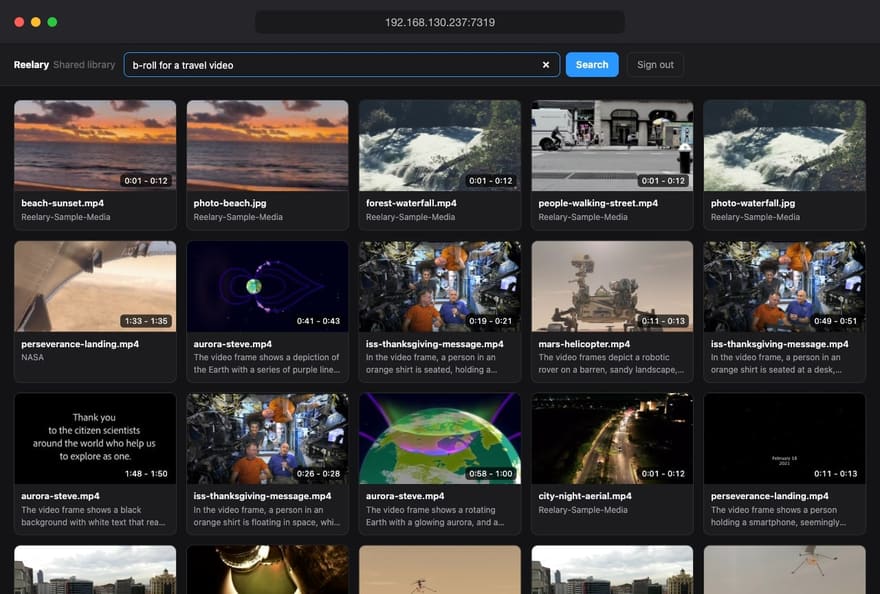
The footage lives on one machine, and everyone else keeps asking for "that drone shot of the harbour". Turn on LAN sharing and they can find it themselves: a search page anyone on your network opens in a browser, with the same search you use in Reelary, and a download button.
How it works
- In Reelary, open Settings and switch on LAN sharing.
-
Reelary shows an address such as
http://192.168.130.237:7319and an access code. Change the code to anything you like, or let Reelary make one. - Send both to the people who need footage. They open the address in a browser on the same network, type the code, and start searching.
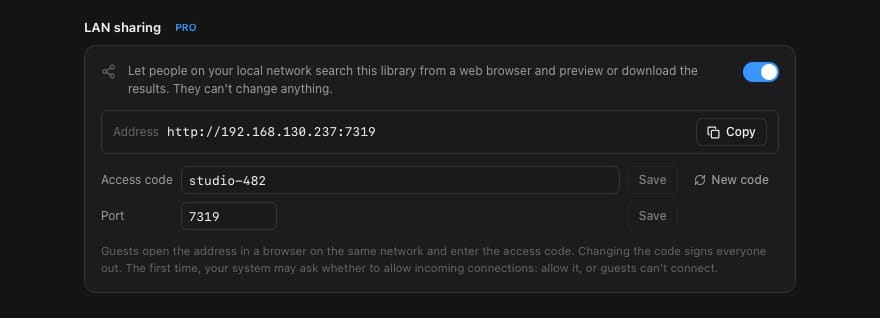
The first time, your Mac or Windows firewall may ask whether Reelary can accept incoming connections. Allow it, or other computers won't be able to reach the page.
What guests can do
Guests type what they are looking for - "kids running on the beach", "close-up of hands on a keyboard" - and get the same ranked shots you would get in the app, including matches on scene descriptions and, with Pro, on what was said. Each video result is the matching moment, not the whole file.
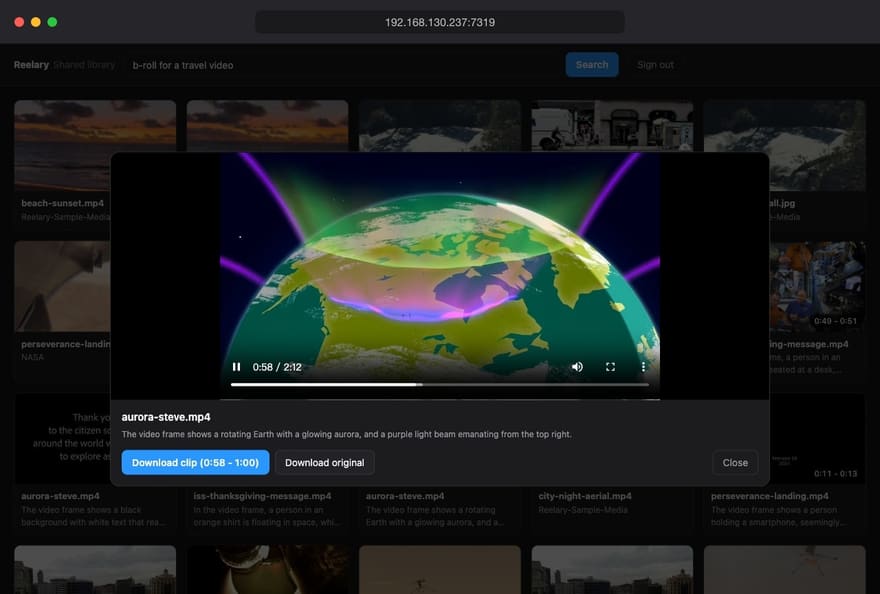
- Preview the shot in the browser, starting at the matching moment.
- Download the clip: just the matching seconds, cut without re-encoding, so it is quick and keeps the original quality. The cut starts on the nearest keyframe, so a clip can begin a moment early.
- Download the original file when they need the whole take.
The page works on phones and tablets too, so a producer can pull a shot from the couch or the edit suite next door.
Read-only, by design
Sharing a library should not mean handing over the library. Guests can search, preview and download, and nothing else: they cannot add or remove folders, rename or delete files, open your projects or change settings. They never see where your files are stored, and they can only download files that appeared in their own search results.
The access code keeps out anyone who just happens to be on the same Wi-Fi. Change it and everyone is signed out at once; repeated wrong codes are locked out for a few minutes. Switch sharing off and the page is gone.
Still local
Guests talk directly to your computer over your own network. The search runs on your machine with the same on-device models, and no footage, index or file list passes through our servers or any cloud service. For the same reason, sharing only works while Reelary is running on that computer.
Common questions
Do the people I share with need Reelary?
No. They open an address in any modern browser on the same network - Chrome, Safari, Edge or Firefox, on a computer, tablet or phone - and type the access code. Nothing to install, no account.
Can guests change or delete anything?
No. The shared page can only search, preview and download. Guests cannot add or remove folders, rename files, edit projects or change settings, and they never see where files are stored on your disk.
Does sharing go through Reelary servers?
No. Guests connect straight to your computer over your local network. Nothing passes through our servers or any cloud service, and the library index stays on your machine.
Can I share over the internet?
LAN sharing is designed for a local network: an office, a studio or your home. Use a VPN that puts guests on the same network if they work remotely. We do not recommend forwarding the port to the open internet.
Which versions include LAN sharing?
It is part of Reelary Pro ($79 once) in the Windows version and the Mac version downloaded from this site. The Mac App Store version does not include it: App Store apps run in a sandbox that is not meant to serve other devices.
What happens when my computer sleeps or Reelary is closed?
The shared page stops answering until Reelary is running again. Reelary can also run in the background without a window, which keeps sharing available while you work in other apps.
More in the full FAQ.
LAN sharing comes with Reelary Pro, together with dialogue search, people, places, watermark-free 4K export and NLE project export. $79 once, one key for Windows and the Mac download. Need it on more computers? Studio covers 10.